You are here: Home / Order guide / Status words
ZentBuy status words decoded, from Pending Payment to confirmed receipt
Every order and parcel status a ZentBuy account shows, what it means, how long it usually lasts and which ones wait for you.
Order statuses before the warehouse
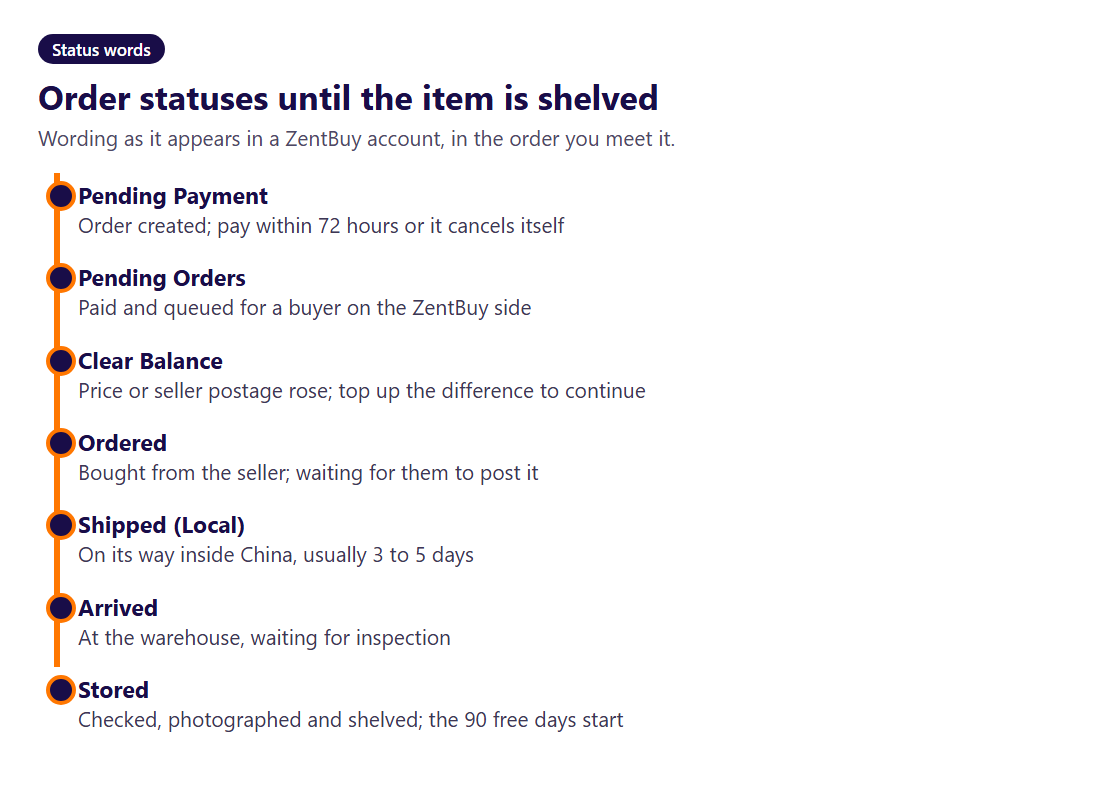
An order starts as Pending Payment: created, not yet paid, and cancelled automatically after 72 hours. Paid orders become Pending Orders, which means the order is queued for a ZentBuy buyer. If the seller's price or postage has gone up since you paid, the status changes to Clear Balance, and nothing happens until you pay the gap.
Ordered means the buyer has paid the seller and is waiting for them to post. Shipped (Local) means the seller has posted to the ZentBuy warehouse inside China. Two exits sit beside this chain: Canceled, by the buyer or the system, with the money returned to your ZentBuy wallet, and Under Review followed by Returned when a refund is in progress and then complete.
Statuses inside the warehouse
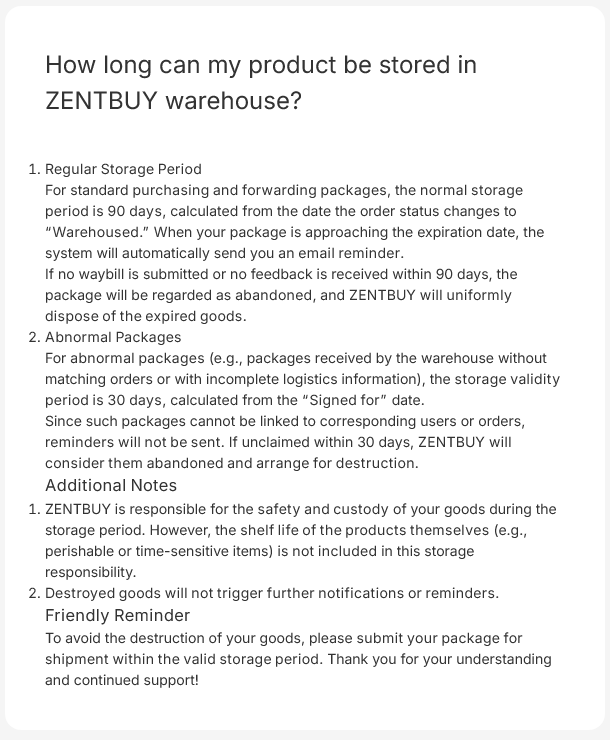
Arrived means the parcel has reached the warehouse and is waiting for inspection. Stored means inspection is done, the photos are posted and the 90 free storage days have begun. The returns article uses a third word, Warehoused, for the moment that starts the five-day return window; treat it as the same point as Stored.
Nothing about Stored is urgent on day one, but two clocks are now running: five days to ask for a return and 90 days before overstay fees. The warehouse day counter turns a stock-in date into both deadlines.
Parcel statuses after you submit
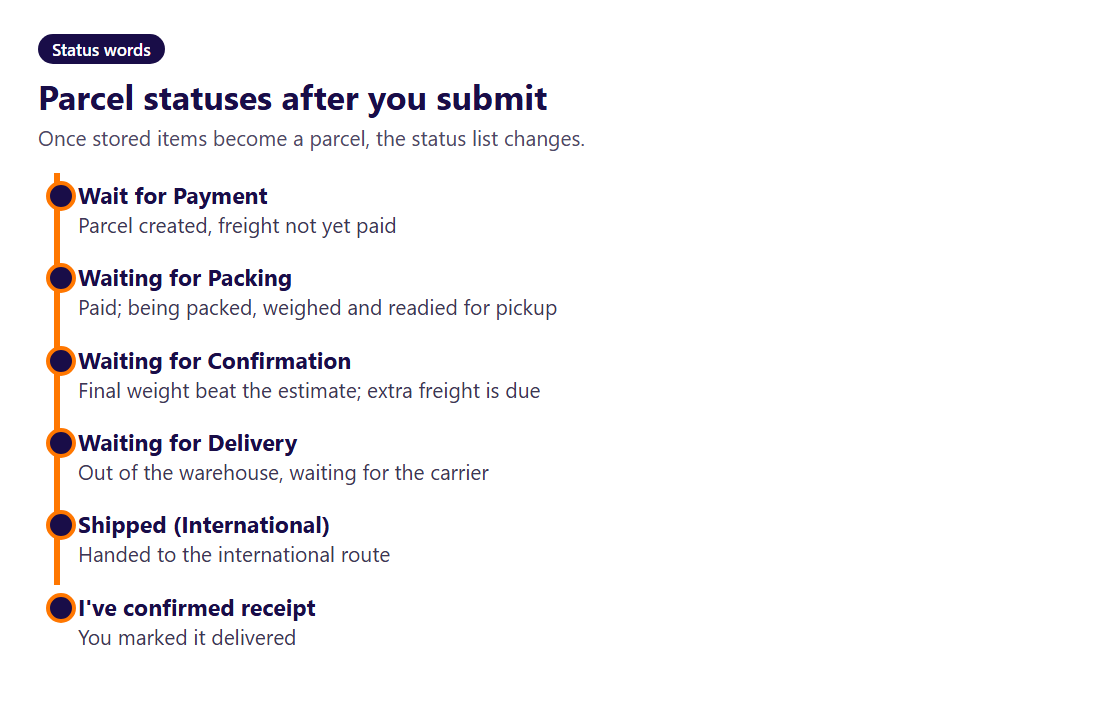
Submitting a parcel starts a second list. Wait for Payment is the parcel created but freight unpaid. Waiting for Packing means freight is paid and the warehouse is packing, weighing and preparing it for pickup. If the packed parcel is heavier than the estimate, it parks at Waiting for Confirmation; pay the extra and packing resumes.
Waiting for Delivery means it has left the warehouse and waits for the carrier to collect it. Shipped (International) means it is on its way. The last status is the one you set: I've confirmed receipt.
Typical waiting time per stretch
ZentBuy prints times for most stretches, scattered across several articles. Put together they look like this. Treat them as the company's own targets, not promises; the policy notice says so itself.
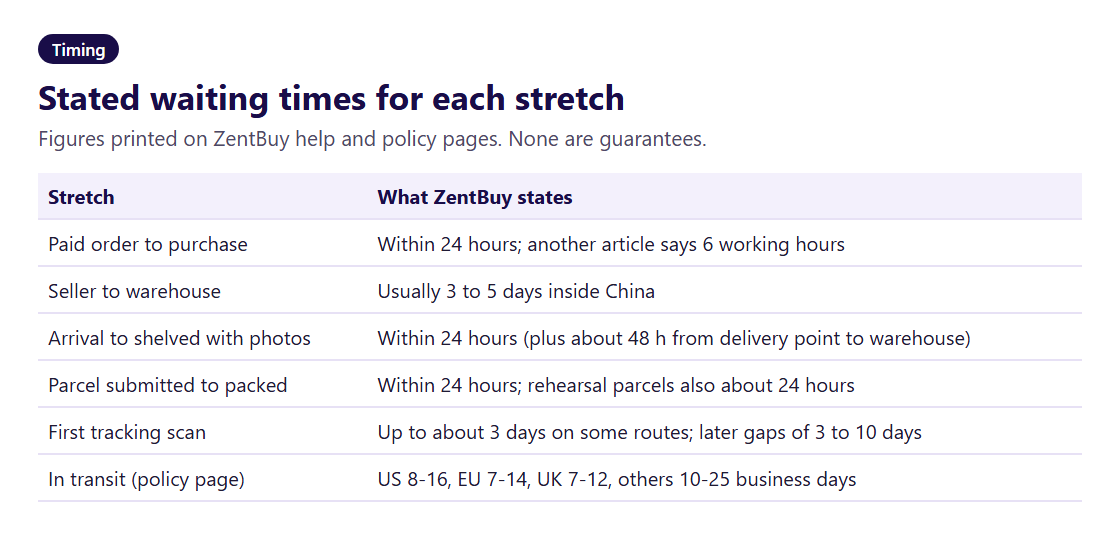
In practice the slowest stretch you control is the gap between Stored and submitting a parcel. Many buyers wait for several items to arrive so they can share one parcel. That is sensible, as long as the first item is not approaching day 90.
Statuses that need you to act
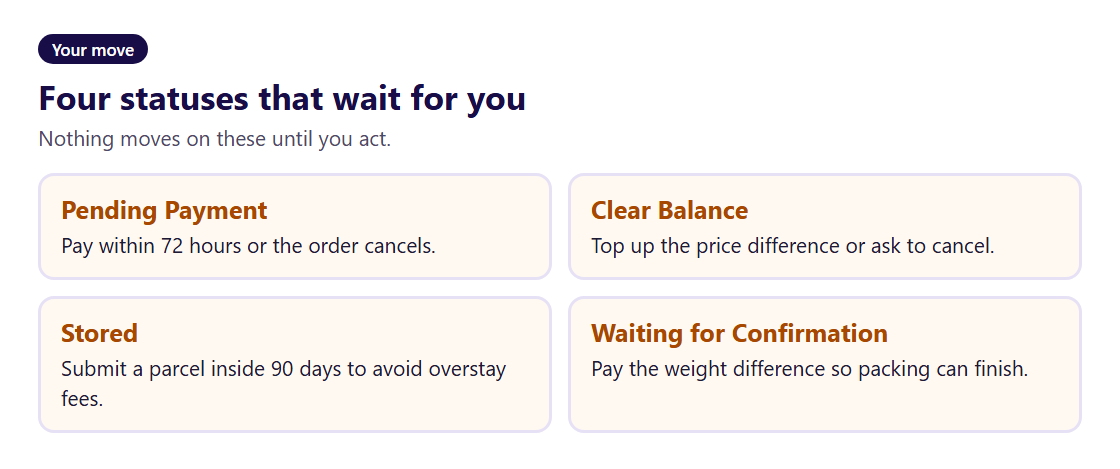
Four statuses stop the clock until you do something: Pending Payment (pay within 72 hours), Clear Balance (top up or cancel), Stored (submit a parcel inside 90 days) and Waiting for Confirmation (pay the weight difference). Everything else moves on its own. If a status that should move on its own has not changed in longer than the times above, that is the moment to open a ticket rather than wait.